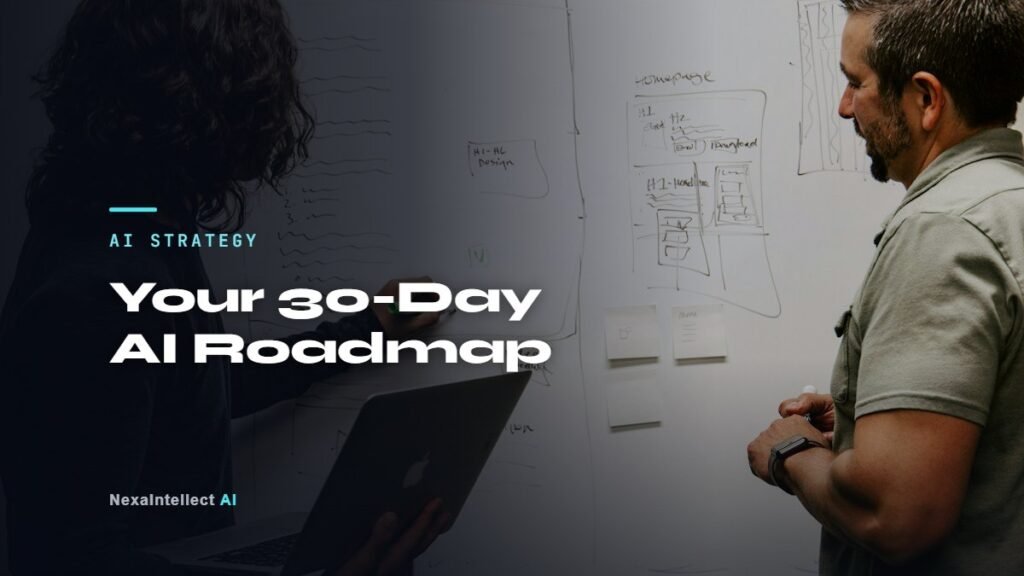
Short answer: To start using AI in a small business, pick one costly, repetitive problem, test an AI tool or workflow on it for 30 days, measure the time saved, and only then expand. Week 1: find the problem. Week 2: prepare your data and choose the tool. Week 3: build and test a pilot with a human checkpoint. Week 4: measure, decide and plan the next step.
Last updated: November 10, 2026.
You would be in good company: The U.S. Chamber of Commerce found that 40% of small businesses used generative AI in 2025, nearly double the 23% of 2023. A Federal Reserve note puts overall U.S. business adoption at about 18% of firms at the end of 2025, so there is still time to move early.
Key takeaways
- Begin with a business problem, not with a tool.
- One focused pilot teaches you more than a company-wide AI plan.
- Write simple AI usage rules before staff paste customer data into any tool.
- Decide success metrics before you start: hours saved, response time, leads captured or errors reduced.

Why do small businesses struggle to adopt AI?
Most small businesses do not fail with AI because the technology is weak. They struggle because they try too many tools at once, have no owner for the project, keep data scattered across inboxes and spreadsheets, or never measure whether anything improved. A short, structured roadmap fixes all four.
The 30-day AI roadmap
Week 1: Find the right problem
- List the tasks your team repeats every day or week.
- Estimate the hours each one takes and what goes wrong (missed calls, slow replies, data errors).
- Choose one task that is frequent, rule-based and painful. Our guide to AI automation for small business lists twelve good candidates.
- Name one person who owns the pilot.
Week 2: Prepare data and choose the approach
- Collect the information the AI will need: FAQs, price lists, policies, templates, past examples.
- Remove outdated or duplicate documents.
- Choose the approach that fits the problem (see the table below).
- Write a one-page AI policy: what data may be used, which tools are approved, who reviews outputs.
Week 3: Build and test a pilot
- Set up the tool or workflow on a small scope — one team, one channel or one document type.
- Keep a human approval step for anything customer-facing or financial.
- Test with real past examples and note every mistake.
- Improve instructions and knowledge until results are consistently good.
Week 4: Measure and decide
- Compare the metric you chose against the starting point.
- Ask the team what helped and what got in the way.
- Decide: expand, adjust or stop. Then pick the next problem.
Which AI approach fits which problem?
| Problem | Best-fit AI approach | Guide |
|---|---|---|
| Missed phone calls and bookings | AI receptionist | AI receptionist guide |
| Same questions answered again and again | RAG chatbot on your documents | RAG chatbot guide |
| Copying data between apps, invoices, reports | AI automation workflow | AI automation guide |
| Multi-step research or follow-up tasks | AI agent with human approval | AI agents guide |
| No clear view of business performance | AI-powered dashboard | AI dashboards |
Should you buy an AI tool or build a custom solution?
Buy an off-the-shelf tool when your problem is common and the tool connects to your existing software. Build a custom solution when the workflow is specific to your business, involves several systems, or needs your own data and rules. Many businesses start with a ready-made tool and move to a custom build once they know exactly what they need.
Common mistakes to avoid
- Buying several AI subscriptions before defining a single use case.
- Letting AI send customer messages without review in the first weeks.
- Pasting confidential or personal data into tools without checking their data terms.
- Not training staff — a short session on good prompts and review rules goes a long way.
- Skipping measurement, so nobody knows whether the pilot worked.
For more ideas, see these 12 AI automation workflows for small business.
A real example: asking your own data questions in plain English
A good first AI project is one that makes data you already have easier to use. I built an AI business intelligence agent around a BBQ restaurant’s data. The owner types a question such as what sold best last weekend, and the agent turns it into a database query and answers from the real data, with demand forecasting and flags for unusual numbers. See the restaurant business intelligence case study.
Frequently asked questions
What is the easiest way for a small business to start with AI?
Choose one repetitive task, such as answering common customer questions or summarising weekly numbers, and run a 30-day pilot with a clear success metric.
Do I need technical staff to use AI?
Not for most first projects. Many tools need no coding, and a consultant can set up custom workflows that your team then uses through familiar apps.
How do I measure the return on an AI project?
Measure the metric the project should change — hours saved, response time, leads captured, errors avoided — before and after the pilot, and compare it with the running cost.
Is it safe to use AI with business data?
Yes, with approved tools, clear data rules and human review. Avoid sharing sensitive personal or financial data with tools that do not offer business-grade privacy terms.
Try it free: take the 3-minute AI readiness quiz, see what missed calls cost you with the AI savings calculators, try the in-browser RAG chatbot demo or listen to the AI receptionist demo.
Sources
- U.S. Chamber of Commerce, The Impact of Technology on U.S. Small Business
- Federal Reserve, Monitoring AI Adoption in the U.S. Economy (April 2026)
- NIST, AI Risk Management Framework
Written by Waseem Hassan, AI/ML engineer and founder of NexaIntellect AI. Want a tailored roadmap? Take our AI readiness assessment, see our generative AI consulting service, or book a free consultation.

AI/ML engineer building LLM agents, RAG systems and automation for growing businesses.