Short answer: A WhatsApp AI chatbot for business answers customer messages on WhatsApp automatically, handling FAQs, bookings, order updates and lead capture. It runs on the WhatsApp Business Platform (API), must stay focused on your business services under Meta’s rules, and should always offer a route to a human.
Messaging is where support is heading: Gartner predicts that by 2029 agentic AI will resolve 80% of common customer service issues without human intervention.
Key takeaways
- AI chatbots need the WhatsApp Business Platform (API), not just the free WhatsApp Business app.
- Since January 15, 2026, Meta’s rules bar general-purpose AI assistants on the platform; business-specific bots for support, bookings and sales are allowed.
- Meta charges per delivered message by category, and replies inside the 24-hour customer service window are the cheapest way to talk to customers.
- Design for real business tasks, keep answers grounded in your own information and provide a human handoff.

What is a WhatsApp AI chatbot for business?
It is software connected to your business WhatsApp number that reads incoming messages, understands what the customer wants and replies, often using an AI model plus your own knowledge base. For many businesses, especially those serving customers who prefer messaging over email or phone, WhatsApp is where enquiries already arrive. A chatbot means those enquiries get an answer in seconds, even at night.
Do you need the WhatsApp Business app or the API?
| Feature | WhatsApp Business app | WhatsApp Business Platform (API) |
|---|---|---|
| Best for | Very small teams replying manually | Businesses automating replies or using several agents |
| Automation | Basic greeting, away messages and quick replies | Full chatbots, AI integrations and workflows |
| Multiple users | Limited | Shared inbox through a provider or custom system |
| Integrations | Minimal | CRM, booking, e-commerce and helpdesk systems |
| Cost | Free app | Per-message fees from Meta, plus any provider or hosting costs |
You can access the platform directly through Meta’s Cloud API or through a Business Solution Provider that adds an inbox, chatbot builder and support.
What are Meta’s rules for AI chatbots on WhatsApp?
Meta updated the WhatsApp Business Solution terms so that AI providers can no longer offer general-purpose assistants, where the AI itself is the product, through the platform. The change applied to new users from October 15, 2025 and to all users from January 15, 2026.
Business use is still allowed. A chatbot that supports a real business service, such as customer support, appointment booking, order tracking, sales questions or reminders, is the intended use. Practical guidance from providers is to keep the bot on defined business tasks and give customers a way to reach a person when the bot cannot help. Always check Meta’s current policies before launch, because they change.
How does WhatsApp Business pricing work?
Meta now uses per-message pricing. You pay for messages your business sends that are delivered, and the price depends on the category and the customer’s country:
- Marketing templates: promotions and offers.
- Utility templates: order, booking and account updates.
- Authentication templates: one-time passcodes.
- Service messages: free-form replies sent inside the 24-hour customer service window that opens when a customer messages you. Meta includes a monthly allowance of free service messages per business phone number.
Customers starting a chat from a Click-to-WhatsApp ad can open a longer free window. Meta updates rates quarterly, so check its official pricing page for your markets before you budget.
What can a WhatsApp AI chatbot do for a small business?
- Answer questions about services, prices, hours and locations from your approved content.
- Book, confirm and reschedule appointments.
- Share order status and delivery updates from your store or system.
- Qualify leads and send them to your CRM with the conversation summary.
- Collect documents or photos a customer sends and route them to the right person.
How do you set one up?
- Choose a phone number that is not already in use on the regular WhatsApp app, and verify your business with Meta.
- Pick direct Cloud API access or a Business Solution Provider.
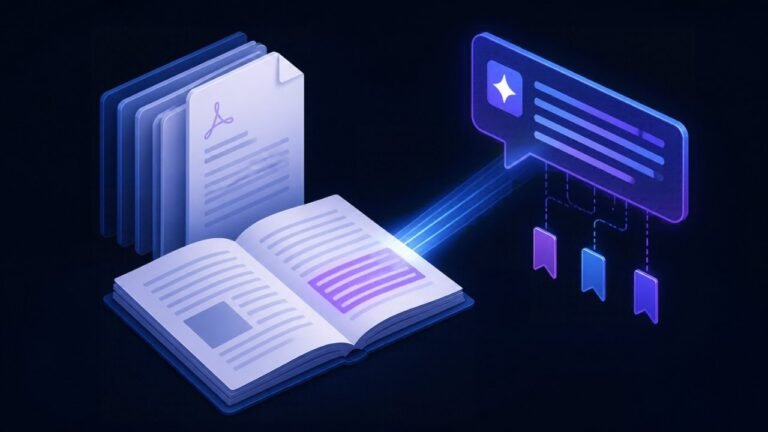
- Build the knowledge base: FAQs, policies, service details and price rules.
- Design the flows: greeting, main tasks, data collection and human handoff.
- Connect your systems such as calendar, CRM or store.
- Create and submit message templates for notifications and follow-ups.
- Test with your team, launch, then review conversations every week.
Where to go next
A WhatsApp bot works best when it answers from your own documents, so read what a RAG chatbot is. If you also want a chatbot on your site, see our guide to an AI chatbot for your website. For a bot that also takes actions like booking and updating records, read AI agents for small business, or explore our AI chatbot development service.
Frequently asked questions
Is it allowed to use AI chatbots on WhatsApp Business?
Yes, for business-specific purposes such as support, bookings, order updates and sales. Meta’s rules bar general-purpose AI assistants whose main product is the AI itself.
Can I use my existing WhatsApp number?
Usually yes, but a number registered on the platform cannot be used in the regular WhatsApp or WhatsApp Business app at the same time. Many businesses migrate their number or use a new one.
How much does a WhatsApp chatbot cost?
Costs combine Meta’s per-message fees, which vary by category and country, any provider subscription, and the setup or development work. Customer-initiated service replies are the lowest-cost part.
Can the chatbot hand a conversation to a person?
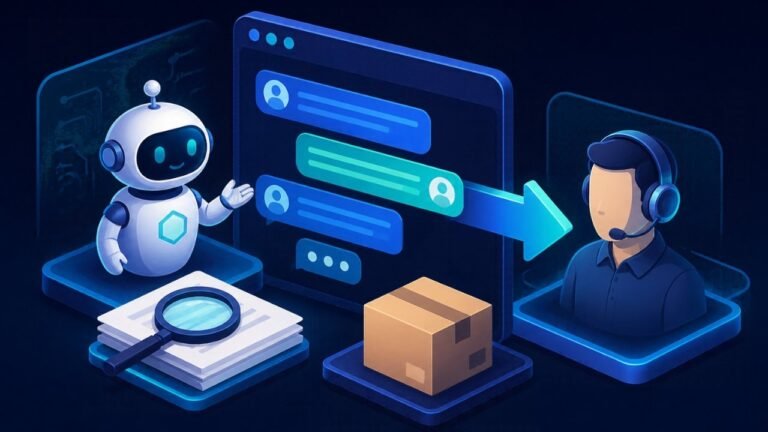
Yes, and it should. A shared inbox lets your team take over a chat when the bot cannot help or the customer asks for a person.
Try it free: take the 3-minute AI readiness quiz, see what missed calls cost you with the AI savings calculators, try the in-browser RAG chatbot demo or listen to the AI receptionist demo.
Sources
- Meta for Developers, About the WhatsApp Business Platform
- Gartner, Agentic AI will resolve 80% of common customer service issues by 2029 (March 2025)
- OWASP Gen AI Security Project, 2025 Top 10 for LLM and Gen AI Apps
Written by Waseem Hassan, AI/ML engineer and founder of NexaIntellect AI. Want a WhatsApp chatbot that fits your business? Book a free consultation.

AI/ML engineer building LLM agents, RAG systems and automation for growing businesses.